Adding Information Requests
Use this procedure to add non-core IRs to the SA.
About this task
When the supervisory activity Scope is marked complete, the core information requests associated with the Area for Review (AFR) added to the scope are automatically added to the supervisory activity.
Procedure
-
Navigate to your supervisory activity.
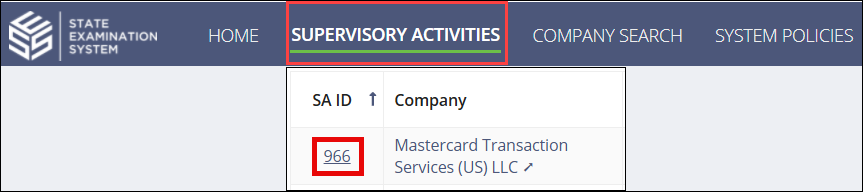
-
Click .


-
Select the desired Area for Review (AFR) from the
Area for Review drop-down menu.
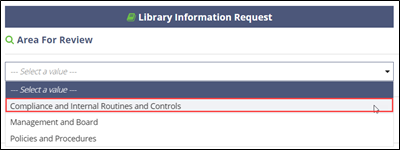 Note: This drop-down menu only contains AFRs that were added while Defining the Scope by Creating a New Scope
 -
Click the + icon to add additional non-core information
requests to the queue.
 Note: Only non-core and those IRs that do not have the same scope type appear in this list with the ability to add to the SA. You can edit standard IR text before sending to the company.
 -
Click View Queue in the bottom right.

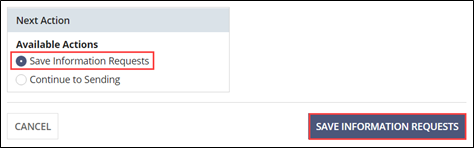
- Select Save Information Requests.
-
Click Save Information Requests.