
Assigning a Package Assembler
Assign a Package Assembler to collate all documentation, comments, and invoicing information.
Before you begin
Before assigning a package assembler, the report must be uploaded and marked complete.
About this task
Procedure
-
Navigate to your supervisory activity.
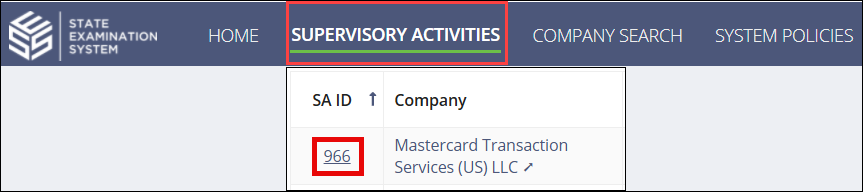
-
Click or .
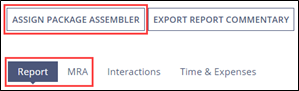 Note: The Assign Package Assembler command appears when the report is uploaded and marked complete.
 -
Choose whether you would like to send the report to the company.
 Declining to send the report to the company will move the SA to the Close Out Milestone.Important: If you decline to send the report, you will not be able to send or add any additional Matters Requiring Attention (MRA).
 -
If you are choosing to send the report, choose whether you would like to assign
yourself as the package assembler or assign it to a staff user.
Note: If you are an Examiner in Charge (EIC) and assign yourself as the Package Assembler, you will automatically be brought to the task to complete the package assembling.
-
Click Assign Package Assembler.
